Importing
When importing the asset, there are 3 main folders.
| Folder | What's in it? | Required |
|---|---|---|
| Core | The core scripts and assets needed for the toolkit to function. | Yes |
| Implementation | Models, textures, audio, and demo scenes. Good for learning the toolkit and implementing already built systems. | No |
| Documentation | PDF version of the documentation website. | No |
Layer Setup (Required)
This toolkit requires an Inspect layer to be setup and assigned in order to use the inspect system. Follow the steps below, if you are importing the toolkit into a new Unity project, or an existing one.
For a new Unity project
If you are importing the toolkit into a new Unity project, setting up the required Inspect layer is easy.
-
Go to the Tags & Layers window (select a GameObject, click on the Layers drop down, select Add Layer).
-
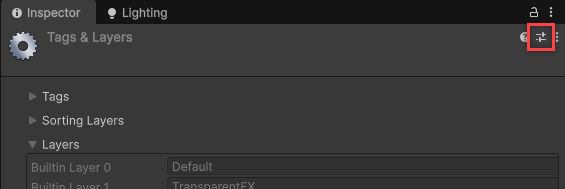
Click on the preset button.
- In the Select Preset window, click on the ExplorationToolkit_LayersPreset.preset asset. This is located in the
Core > Presetsfolder.
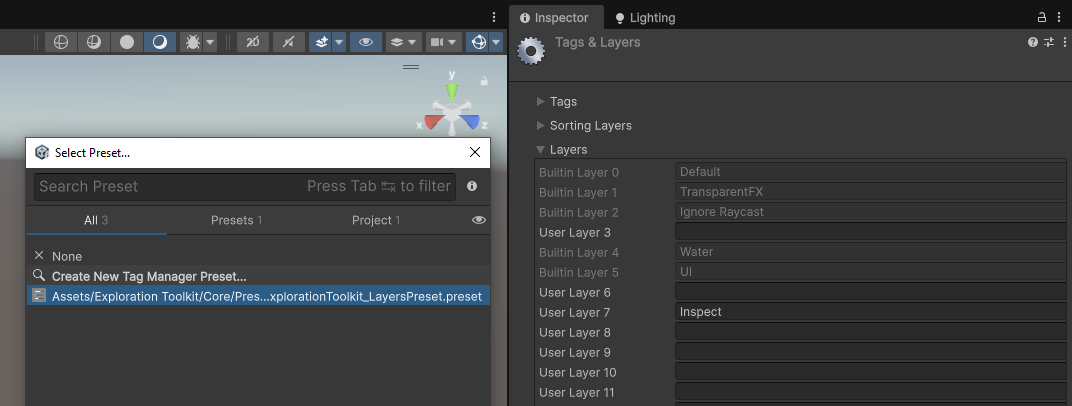
- This will create the Inspect layer and you should be good to go.
For an existing Unity project
If you are importing the toolkit into an existing Unity project with tags and layers already assigned, setting up the required Inspect layer is done like this.
- Go to the Tags & Layers window and add a new layer called Inspect.
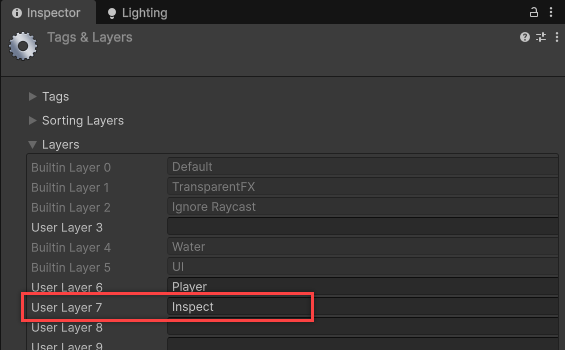
-
Open the InspectController prefab
Core > Prefabs > Controllers. This manages the inspect system. -
Go to the Inspect Layer property and change that to the Inspect layer. This is what inspected objects will set their layer to when inspecting.
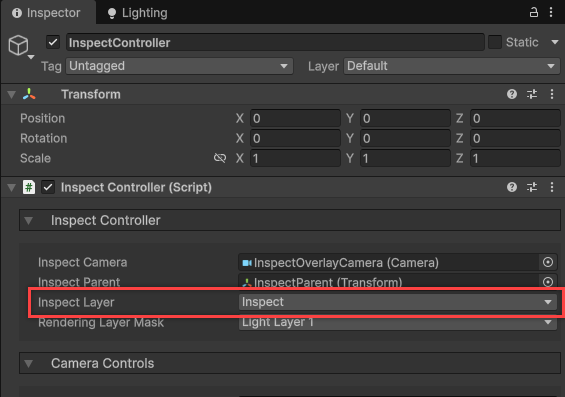
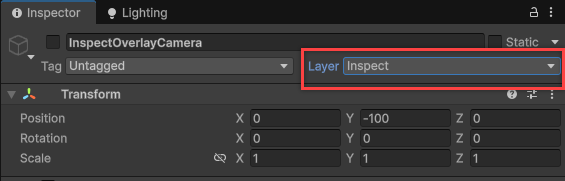
- Then select the InspectOverlayCamera child object and change its layer to
Inspect. When prompted, also apply the layer to all children object.
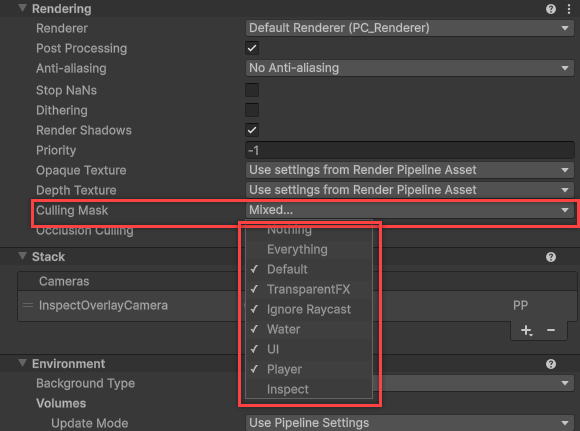
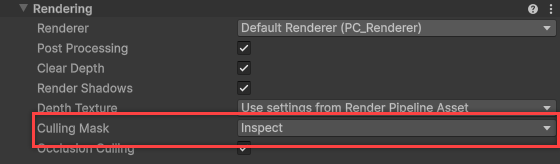
- Down in the Camera component, make sure that the Culling Mask is set to only the Inspect layer. This will make it so the inspect camera only renders GameObjects with that layer.
- Now for your player camera. Go to its culling mask and disable the Inspect layer. We don't want the inspect layers to be rendered twice.